CONTENT AUTHORING TOOL
Your content. Every format. No technical team required.
Upload existing materials or start from a prompt. The platform generates simulations, clinical cases, interactive modules, podcasts, updated presentations, and infographics — in minutes. The educator reviews, adjusts, and approves. Content that was frozen in a five-year-old slide deck gets a new life in formats students actually use.
HOW IT WORKS
From source material to interactive content in three steps.
- 01
Upload or describe
Upload a PDF, a slide deck, a clinical case, a set of guidelines — or type a prompt describing the scenario or topic. The platform accepts any format your educators already work with.
- 02
The platform generates
The authoring tool produces a first version — a conversational simulation, a decision case, an interactive module, a podcast script, a visual presentation, or an infographic — based on the source material and the content type selected.
- 03
The educator reviews and approves
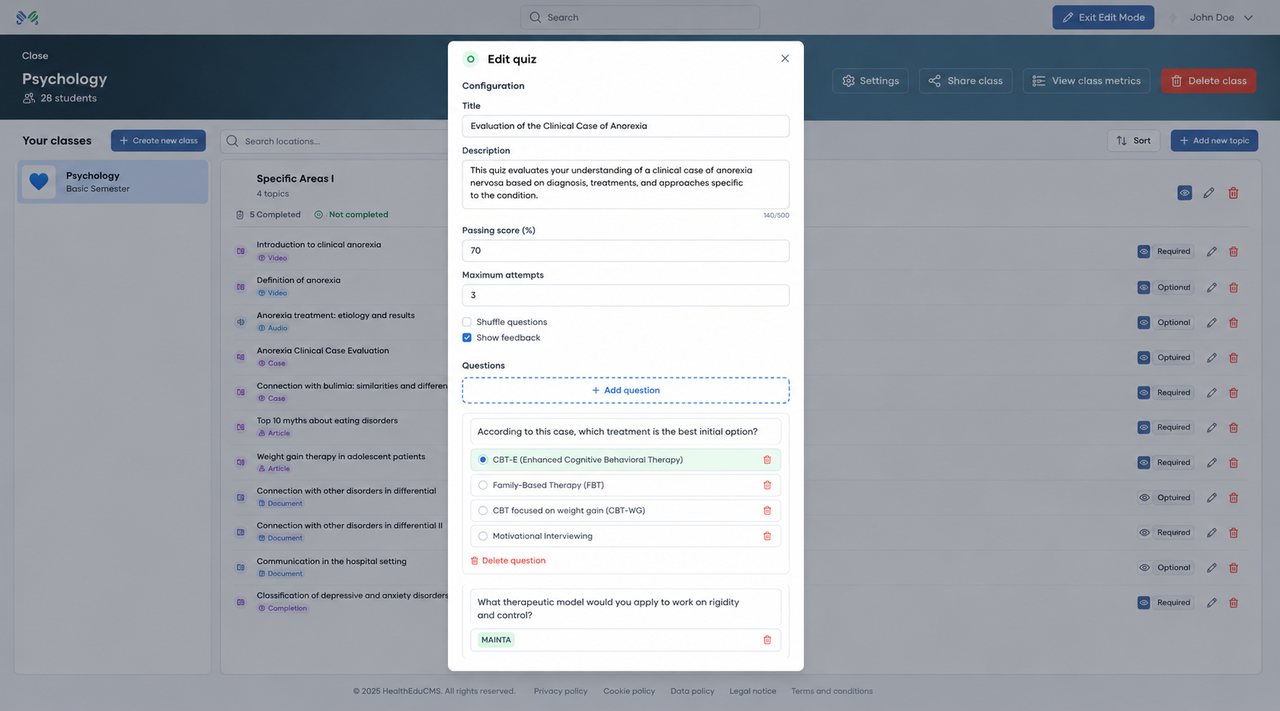
Nothing goes live without educator sign-off. The educator reviews every element: the patient profile, the clinical parameters, the rubric, the branching logic. They adjust, refine, and approve. The platform does the generation; the clinical expert stays in control.
SEE IT WORKING
Paste your material. Pick the formats. Generate.
BUILT FOR EDUCATORS
Everything stays under the educator’s control.
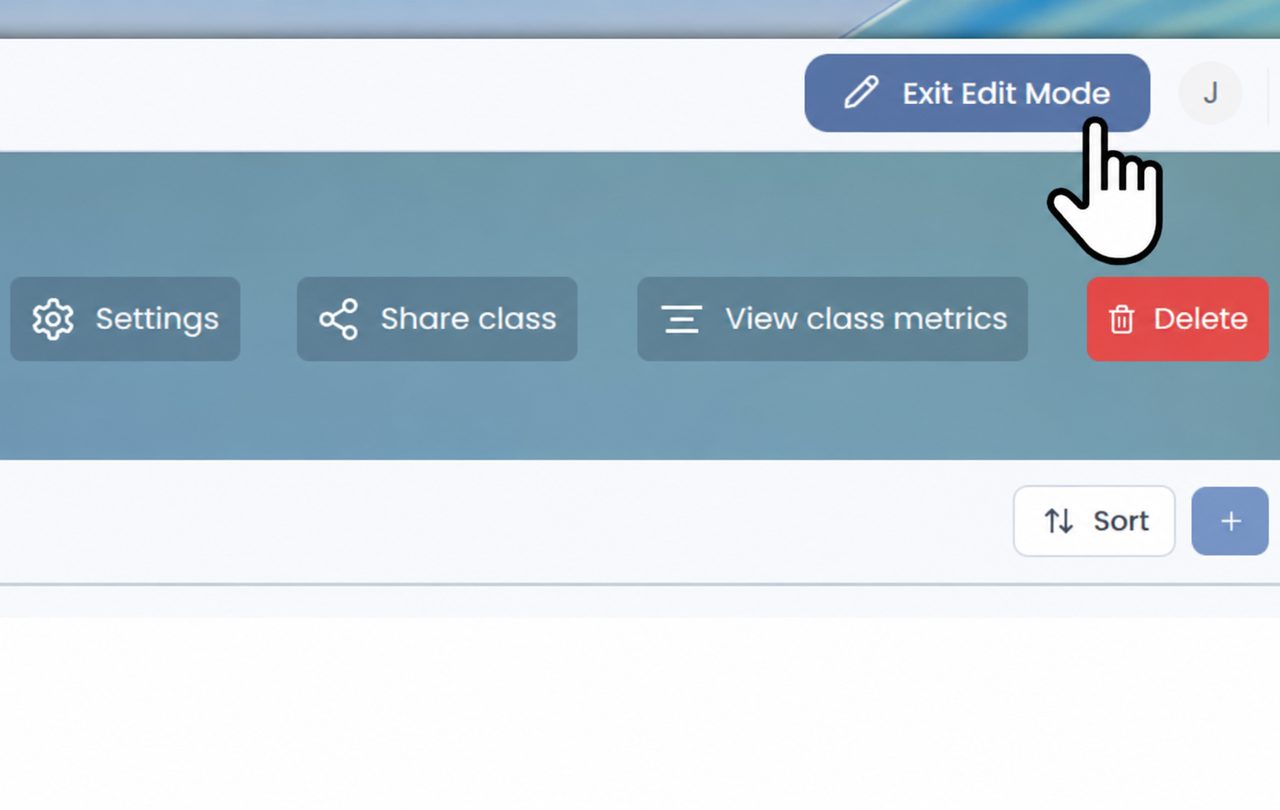
Generated content lives in a workspace the educator manages directly — no technical team, no support tickets. Every class has its own edit mode.
- Adjust settings and refine any element before students see it
- Share a class with colleagues or across course groups
- View class metrics as students work through the content
- Reorganize or remove content at any time
One source. Every output.
- Conversational simulations
- Virtual patient cases
- Clinical decision trees
- Interactive and gamified modules
- Podcasts
- Updated presentations
- Infographics
- Scenario-based assessments
EDUCATOR SIGN-OFF
Required or optional — element by element.
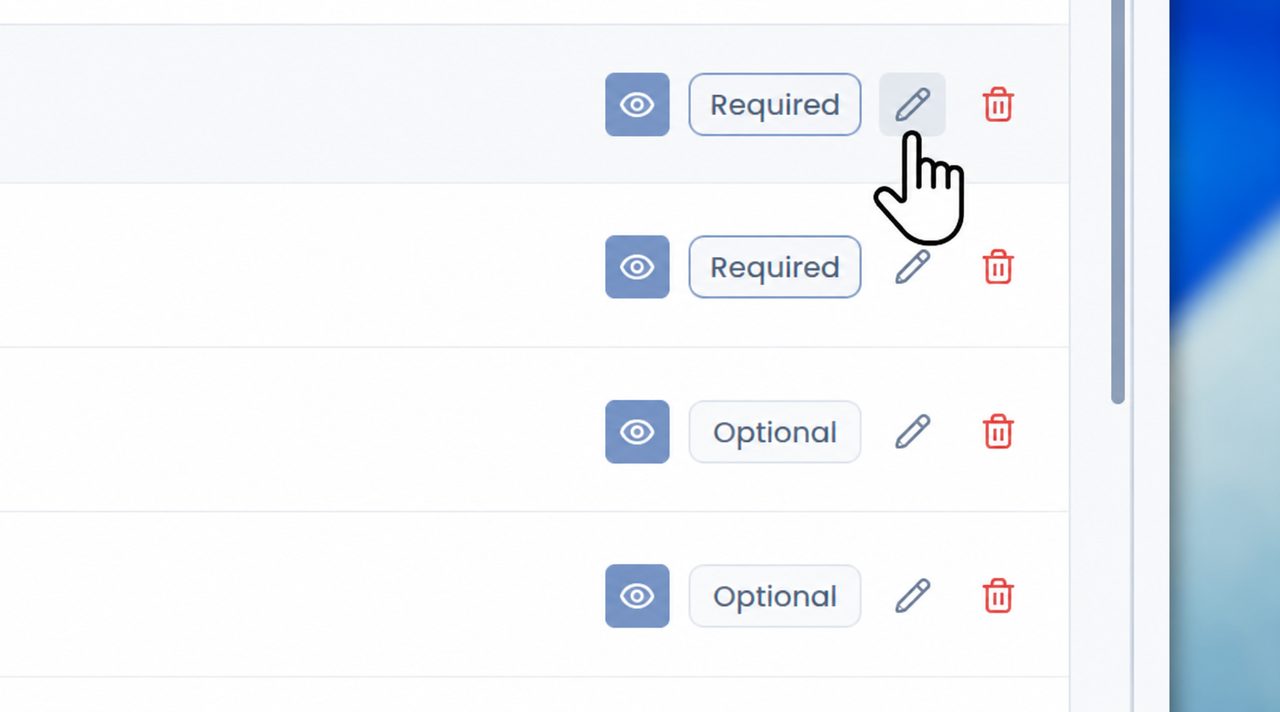
Every activity in a class carries its own controls: preview it as a student would see it, mark it as required or optional, edit it, or remove it. Sign-off happens at the level that matters — each individual element.
Don't want to start from scratch? You don't have to.
MetaMedicsVR's library of pre-built scenarios — developed with academic and clinical partners and grounded in peer-reviewed medical research — is available from day one. Browse by specialty, clinical situation, or learning objective. Use as-is or adapt to your program's specific context.
COMMON QUESTIONS
What educators ask about the authoring tool.
-
What does the authoring tool do?
It turns existing teaching materials (a PDF, a slide deck, a clinical case, a set of guidelines) or a written prompt into new content: conversational simulations, virtual patient cases, clinical decision trees, interactive modules, podcasts, updated presentations, infographics and scenario-based assessments.
-
Does AI-generated content go live automatically?
No. Nothing goes live without educator sign-off. The educator reviews every element (the patient profile, the clinical parameters, the rubric, the branching logic), adjusts it and approves it, and can mark each activity as required or optional.
-
Do we need a technical or instructional design team?
No. Generated content lives in a workspace the educator manages directly, with no coding, no technical team and no support tickets. Classes can be shared with colleagues or across course groups.
-
Is there ready-made content to start with?
Yes. MetaMedicsVR's library of pre-built scenarios, developed with academic and clinical partners, is available from day one. It can be used as-is or adapted to each program.
ONE PLATFORM, SIX FORMATS
Explore the other formats.
From the blog
Keep exploring this topic.
 Product
 Build your first clinical case in 15 minutes
You do not need to be a programmer to author a case in MetaMedicsVR. Here is the whole journey, from a blank page to a scenario your students can step into.
 Practical training
 AI in nursing education: which tools save faculty time
Where AI tools save nurse educators hours, what each one needs checked, and what studies found when AI-written questions went out unreviewed.
 Product
 Build your own AI virtual patients: why authoring beats closed catalogs
You have spent a career building clinical cases. A closed catalog tells you what to teach. Authoring keeps that control where it belongs — with the educator. Here is what real authoring means.
GET STARTED
See your own content turned into a simulation in 20 minutes.
Bring a PDF or a slide deck to the demo — we'll show you what it becomes.
Thanks — we’ve got your request.
We’ll be in touch within one business day.