AI VIDEO ASSESSMENT
Assess every recorded simulation, objectively.
Upload the video of a student's simulation. The platform transcribes it, scores it against your own rubric and returns a justified report — so every OSCE, CPR drill or clinical station is graded the same way, without watching hours of footage.
From a recorded simulation to a graded report.
Four steps from a recorded simulation to graded, justified students — with exportable grades for the whole class.
-
Upload the video
1Add the recording of the student's simulation. It's transcribed automatically and split into segments.
OSCE · Station 2RecordingSegment 1Segment 2Segment 3Processed -
Assign to each student
2Each segment goes to its student, with optional self-assessment before the grade.
Segment 2StudentsALAna LópezAssignedMVMarc VidalSelf-assessmentJRJúlia Roca -
Score against your rubric
3The AI grades the performance on your rubric — sections, criteria and weights you define.
RubricAIRWAY & BREATHING88/100Chest compressions90Compression rate84 -
Report & grades
4A justified score per section, a downloadable report, and exportable grades for the whole class.
Class grades88% Class avg
ORGANIZED BY CLASS
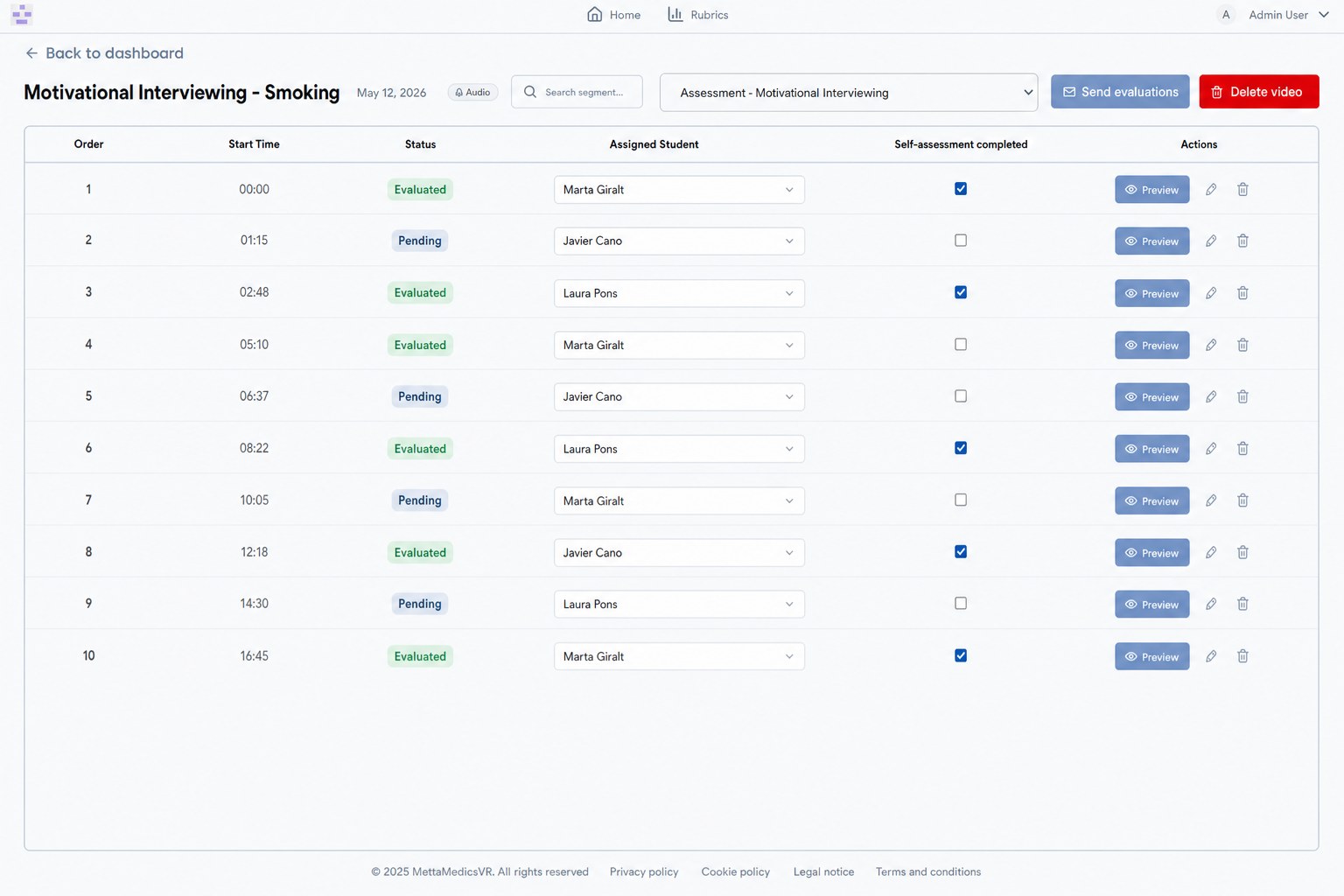
Each video split into segments, one student at a time.
- Group recordings into classes and assign every segment to its student.
- Optional self-assessment: students review their own performance before the grade.
- Status, tags and validation at a glance — and grades you can export for the whole class.
THE EVALUATION
Video, transcript and a justified score — side by side.
YOUR RUBRIC, YOUR CRITERIA
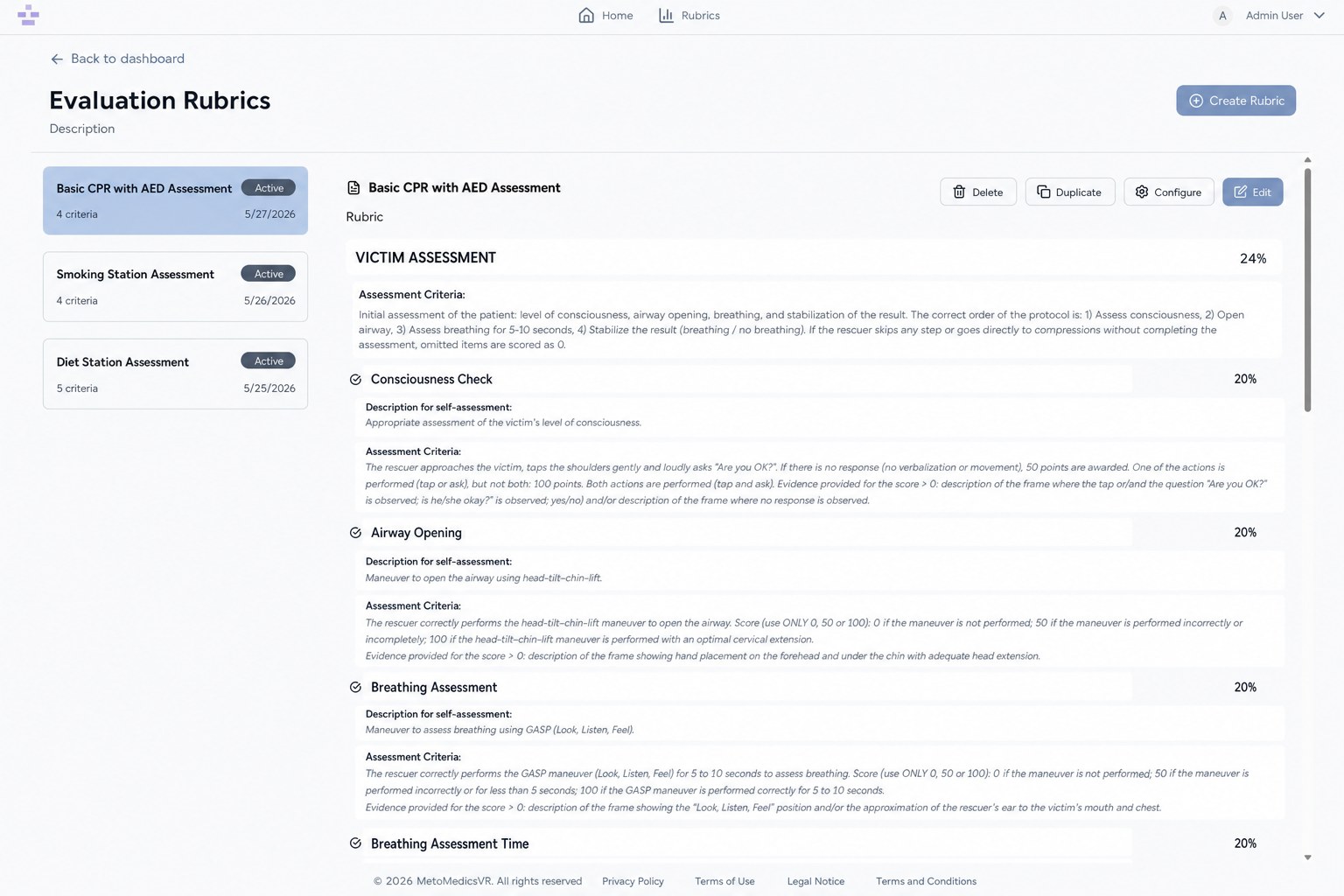
The rubric is yours — down to every criterion and weight.
- Build sections, sub-criteria and weights for each clinical station or skill.
- Detailed evaluation guidance per criterion — the very logic the AI applies to each video.
- Version your rubrics and reuse them across courses and cohorts.
What you can assess.
- OSCE stations
- CPR & BLS drills
- Clinical interviews
- Motivational interviewing
- Patient communication
- Procedural skills
- Nursing competencies
- Pharmacy practice
UIC assesses its clinical simulations with this platform.
Universitat Internacional de Catalunya grades recorded student simulations — CPR, OSCEs and more — against their own rubrics, automatically. Want to see what it would look like for your program?
GET STARTED
Grade every simulation by the same standard .
Tell us about your program and what your students practice. We'll show you what assessing every recorded simulation automatically looks like.
Thanks — we’ve got your request.
We’ll be in touch within one business day.